The Ultimate Guide: Architecting AWWA-Compliant Water Quality Monitoring for Enterprise SCADA Integration

Discover how to architect AWWA-compliant water quality monitoring systems for seamless enterprise SCADA integration. This technical case study provides senior engineers with actionable strategies for field sensor deployment, edge data parsing, and regulatory compliance.
The Challenge: Modernizing Legacy water Quality Telemetry
For municipal water utilities serving large populations, adhering to American water Works Association (AWWA) standards and Environmental Protection Agency (EPA) Safe Drinking water Act (SDWA) regulations is non-negotiable. Historically, water quality monitoring relied on manual grab samples or legacy Remote Terminal Units (RTUs) polling at infrequent 15-minute intervals. However, modern regulatory frameworks demand high-fidelity, real-time data for critical parameters such as free chlorine residual, turbidity, pH, and temperature.
In a recent enterprise-wide SCADA modernization project for a regional water authority serving over 800,000 residents, the engineering team faced a critical bottleneck. The existing architecture utilized aging 900MHz radios and basic Modbus RTU polling, resulting in frequent data dropouts, timestamp inaccuracies, and an inability to track sensor calibration drift. The mandate was clear: architect a highly available, AWWA-compliant IIoT and SCADA hybrid architecture capable of sub-second exception-based reporting while maintaining strict audit trails.
Architectural Requirements for AWWA Compliance
Designing a SCADA architecture for water quality isn’t just about moving data from point A to point B; it is about guaranteeing data integrity, traceability, and security. To meet AWWA and EPA standards, the architecture must support:
- High-Fidelity Timestamping: Data must be timestamped at the absolute edge (the sensor or local PLC) rather than at the SCADA server to ensure chronological accuracy during network outages.
- Data Quality Flags: The system must differentiate between live operational data, sensor calibration modes, and fault states. Without quality flags, a sensor undergoing routine maintenance might trigger a false EPA violation alert.
- Store-and-Forward Capabilities: To prevent data loss during communication failures, edge devices must buffer historical data and push it to the enterprise historian upon reconnection.
Field-Level Sensor Integration and Edge Parsing
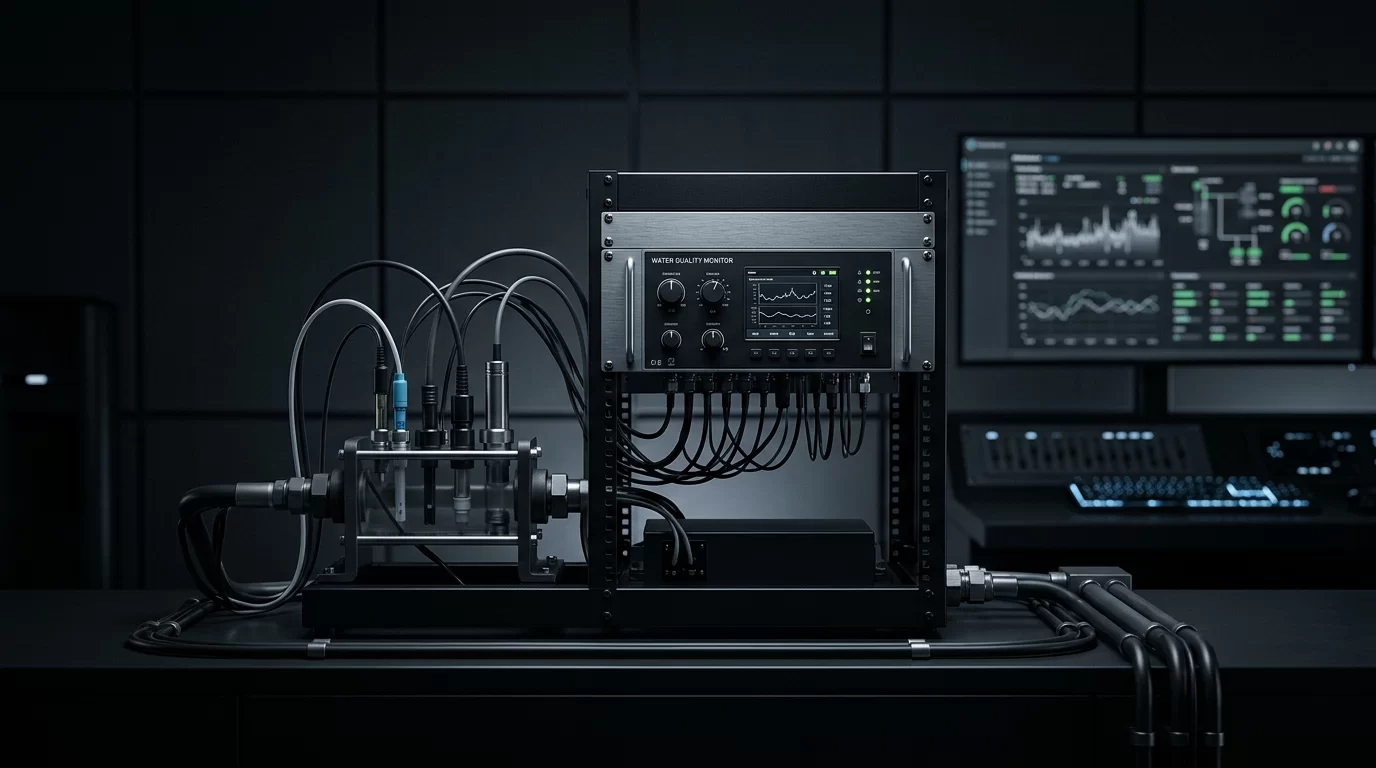
The foundation of this architecture relies on deploying multi-parameter water quality sondes at critical distribution nodes. These sondes typically communicate via Modbus RTU (RS-485) or SDI-12. However, integrating these complex instruments into a standardized SCADA namespace requires robust edge processing.
When dealing with legacy or proprietary optical dissolved oxygen (DO) and specialized turbidity sensors, standard PLC drivers often fall short of extracting the necessary diagnostic metadata. In these instances, developing high-performance C# data parsers for non-standard IoT sensors in water SCADA systems becomes a critical step. By deploying industrial edge gateways (such as Ignition Edge or custom Linux-based IPCs) running custom parsers, engineers can extract raw register data, apply AWWA-specific calibration offsets, and package the payload with OPC UA or MQTT.
Implementing Edge Processing: Python Payload Formatting
To ensure data integrity before transmission to the central SCADA, edge gateways can be programmed to validate and format the telemetry. Below is a practical Python script utilizing the pymodbus library. This script reads raw values from a multi-parameter sonde, applies necessary scaling factors, checks for sensor fault codes, and constructs a JSON payload ready for MQTT Sparkplug B transmission.
import time
import json
from pymodbus.client import ModbusSerialClient

# Configure Modbus RTU connection to the water Quality Sonde
client = ModbusSerialClient(method='rtu', port='/dev/ttyUSB0', baudrate=9600, timeout=2)

def read_water_quality():
    if not client.connect():
        return None

    try:
        # Read Holding Registers (e.g., 40001-40005)
        # Reg 0: Turbidity (NTU * 100), Reg 1: Free Chlorine (mg/L * 100)
        # Reg 2: pH (* 100), Reg 3: Status/Fault Code
        response = client.read_holding_registers(address=0, count=4, slave=1)

        if response.isError():
            return None

        registers = response.registers

        # Apply scaling factors
        turbidity = registers[0] / 100.0
        chlorine = registers[1] / 100.0
        ph = registers[2] / 100.0
        status_code = registers[3]

        # Determine Data Quality (AWWA Audit Requirement)
        # 0 = OK, 1 = Calibration Mode, 2 = Sensor Fault
        quality = "GOOD"
        if status_code == 1:
            quality = "UNCERTAIN_CALIBRATION"
        elif status_code >= 2:
            quality = "BAD_SENSOR_FAULT"

        payload = {
            "timestamp": int(time.time() * 1000),
            "asset_id": "WQ_NODE_742",
            "metrics": {
                "turbidity_ntu": {"value": turbidity, "quality": quality},
                "chlorine_mgl": {"value": chlorine, "quality": quality},
                "ph": {"value": ph, "quality": quality}
            }
        }
        return json.dumps(payload)

    finally:
        client.close()

# Execution loop
if __name__ == "__main__":
    while True:
        data = read_water_quality()
        if data:
            print(f"Publishing to SCADA: {data}")
            # Insert MQTT publish logic here
        time.sleep(5)
Protocol Selection Matrix for Enterprise SCADA
Choosing the right telemetry protocol is critical for maintaining compliance across a wide-area network. The following table compares common SCADA protocols based on their suitability for AWWA-compliant water quality monitoring.
| Protocol | Transport | Bandwidth Efficiency | Edge Timestamping | AWWA Audit Suitability |
|---|---|---|---|---|
| Modbus RTU/TCP | Serial / Ethernet | Low (Poll/Response) | No (Relies on SCADA clock) | Poor (Lacks native quality flags and buffering) |
| DNP3 | Serial / Ethernet | High (Report by Exception) | Yes (Native Class 1/2/3 events) | Excellent (Built for utility-grade auditing and buffering) |
| MQTT Sparkplug B | TCP/IP (Pub/Sub) | Very High | Yes (Payload defined) | Excellent (State-aware, highly scalable for IIoT) |
| OPC UA | TCP/IP | Medium | Yes | Very Good (Strict typing, but high overhead for cellular) |
In our case study, the utility opted for a dual approach: DNP3 over secure cellular VPNs for critical regulatory control sites, and MQTT Sparkplug B for secondary monitoring nodes, ensuring both state awareness and bandwidth optimization.
Enterprise Historian and Audit Trails
Once the high-fidelity, timestamped data reaches the enterprise network, it must be stored in a manner that guarantees immutability and rapid retrieval for EPA audits. Traditional flat-file historians often struggle with the sheer volume of sub-second IIoT data over a 10-year retention period.
To handle the massive influx of high-resolution telemetry without degrading query performance during compliance audits, engineers must rethink their database schemas. Implementing SQL partitioning strategies for multi-site SCADA architectures ensures that years of AWWA compliance data remain instantly accessible. By partitioning time-series data by month and site ID, the utility reduced audit report generation time from several hours to under three minutes.
Conclusion
Architecting an AWWA-compliant water quality monitoring system requires a holistic approach that bridges the gap between field instrumentation and enterprise IT. By leveraging intelligent edge gateways, robust data parsers, state-aware protocols like DNP3 and MQTT, and optimized SQL historian architectures, SCADA engineers can deliver systems that not only meet stringent regulatory demands but also provide unprecedented visibility into the health of the water distribution network.